
A construction change order is a written, signed amendment to the construction contract that adjusts scope, price, or schedule. Under standard forms like CCDC‑2, it’s distinct from a change directive, which authorizes work to proceed before the parties agree on price or time.
The moment a change surfaces on a jobsite, take these steps immediately:
- Issue written notice to the contract administrator or owner’s representative.
- Document the origin: an RFI response, a field note, or a design revision.
- Prepare pricing that includes both direct costs and any impact costs.
- Hold off on non‑urgent work until you have written approval.
Federal projects often reference PWGSC change order 610 as a template for documenting reasons and categories of change. At Multigroup Contracting, we treat that same discipline as standard practice on every tenant improvement and commercial renovation file.
Pro Tip: Never rely on a verbal “go ahead” from a site visit. Get it in an email that same day, even a one‑line confirmation, before your crew touches the work.
Key Takeaways
Managing construction change orders successfully depends on written notice, precise scope documentation, and pricing that accounts for both direct and impact costs.
| Point | Details |
|---|---|
| Get it in writing first | Never proceed on non‑urgent changed work without a signed change order or directive. |
| Link every CO to its origin | Tie cost and schedule claims to the specific RFI, submittal, or field note that triggered them. |
| Price impact costs separately | Direct costs plus overhead and profit rarely capture resequencing and productivity losses. |
| Follow a defined turnaround | Target a 7‑day contractor quote and 14‑day owner response, per MCAC guidance. |
| Multigroup builds the workflow in | Multigroup’s tenant improvement and commercial renovation projects use structured CO logging and same‑day written confirmation as standard practice. |
Table of Contents
- What is a change order (and what it isn’t)
- Why change orders matter for cost, schedule, and risk
- Common causes of construction change orders
- Change order types and the terms you’ll hear on site
- What to include in every change order
- The change order process, step by step
- How to price a change order correctly
- Negotiating change orders without triggering disputes
- Preventing change orders before they start
- How Multigroup handles change orders on active projects
- What contractors and owners commonly miss
- Managing change orders with a licensed Vancouver contractor
- Sources
- FAQ
What is a change order (and what it isn’t)
A change order is a written amendment signed by both the owner and the contractor that records agreed adjustments to scope, price, and time. It’s a completed transaction: both sides have settled the numbers and the schedule impact before the document is executed.
A change directive is different. It instructs the contractor to proceed with work before price and time are finalized, which matters when a delay would cost more than the risk of open‑ended pricing. CCDC‑2 practice treats directives as the tool for urgent situations, while change orders remain the record of settled terms.
Ordinary site instructions are neither. A superintendent asking a trade to move a light fixture six inches over is a clarification, not a change. The line gets blurry fast in retail buildouts and tenant improvement work, which is why clearly separating base scope from extra work prevents unnecessary negotiation over things that were never additions in the first place, according to T.S. Lawyers.
Three quick examples show the boundary:
- Owner request: A tenant asks for a glass storefront upgrade mid‑build. Clear change order territory.
- Design error: Drawings show a door swing that conflicts with code‑required egress. That’s a design deficiency, not a discretionary add.
- Unforeseen condition: Demolition reveals asbestos‑containing floor tile in a 1970s office space. Site condition, not scope creep.
A Change Order is a formal, written amendment to a construction contract, signed by both the owner and the contractor, confirming agreement on scope, price and schedule adjustments, while a Change Directive authorizes work to proceed before that agreement is reached.
Why change orders matter for cost, schedule, and risk
Every change order carries three separate risks: direct cost, schedule delay, and lost productivity from disruption to the planned sequence of work. The first two are visible on the invoice. The third, often called cumulative impact, rarely shows up until a project is well behind and nobody can pinpoint exactly why.
Multiple small changes compound faster than owners expect. A handful of finish swaps and a relocated mechanical run can quietly erode a crew’s productivity across an entire floor, even when each individual change order looks minor on paper.
- Direct cost: labour, material, and equipment tied to the specific change.
- Schedule delay: time added to the critical path, which can trigger liquidated damages clauses.
- Productivity loss: the ripple effect of resequencing trades around unresolved changes.
- Dispute risk: unclear scope language or missing approvals invite disagreement later.
Keeping a detailed change order log and securing written approval before work proceeds is one of the strongest defences against payment delays and disputes, particularly for subcontractors carrying cash‑flow exposure, according to Siteline’s guide to change orders.
Pro Tip: Photograph the condition or the completed extra work immediately and link the photo to the RFI or submittal number in your file name. That link is what protects your entitlement months later.

Common causes of construction change orders
Most change orders trace back to a handful of recurring sources, and recognizing the pattern helps you anticipate them before they derail a schedule.
- Owner‑directed scope changes: A retail franchisee decides mid‑build to upgrade millwork specifications after seeing a competitor’s finish.
- Design errors or omissions: A mechanical drawing omits a required fire‑rated assembly, discovered during framing.
- Unforeseen site conditions: A warehouse renovation uncovers deteriorated slab‑on‑grade that wasn’t visible during the walkthrough.
- Regulatory or code changes: A municipality updates accessibility requirements between permit application and issuance.
- Material shortages or substitutions: A specified door hardware line goes out of stock, forcing an equivalent substitution.
- Scheduling and coordination failures: Two trades are booked for the same space on the same day, forcing resequencing.
PWGSC change order form 610 lists nearly identical categories, including owner requests, design errors, differing site conditions, and regulatory requirements, which tells you these causes hold true across both public and private work, per Canada.
Bad weather and soil conditions rank among the most frequent causes of contractual change orders, and thorough site investigation before mobilization remains one of the few reliable ways to reduce surprises.
That finding, drawn from research published in E3S Web of Conferences, has direct relevance in Metro Vancouver, where wet clay soils and seasonal groundwater regularly complicate foundation and site work.
Change order types and the terms you’ll hear on site
Contract administrators use a handful of standard structures to price and authorize changes, and knowing which one applies changes both your invoicing and your schedule exposure.
A change directive gets work moving before price is settled, while a change order closes the file once both sides agree on the number. Short forms like PCN (proposed change notice), COR (change order request), and CCN (contract change notice) all describe stages in that same process, just under different contract templates.
| Type | When to use it | Schedule and invoicing implication |
|---|---|---|
| Lump sum | Scope and cost are well‑defined | Fixed price, single invoice on completion |
| Time & materials (T&M) | Scope is unclear or urgent | Invoiced against actual hours and receipts, capped where possible |
| Unit price | Repetitive, measurable work (e.g., linear feet of drywall) | Invoiced per unit installed, tracked against estimate |
| Not‑to‑exceed (NTE) | Owner wants cost ceiling on uncertain scope | T&M billing capped at a maximum authorized amount |
| Zero cost / credit | Scope reduction or owner‑supplied materials | Adjusts contract value down, still requires signed documentation |
What to include in every change order
A weak change order is the single biggest reason owners push back or contractors lose entitlement later. Every submission should carry these fields:
- Project identification and change order number
- Originator name and date of the request
- A precise scope description, not a vague summary
- Reference to the triggering RFI, submittal, or drawing revision
- Full cost breakdown: labour, material, equipment, subcontractor quotes
- Overhead and profit, shown separately from direct cost
- Schedule impact, stated in calendar days
- Signature block with date for both owner and contractor
Attachments strengthen every submission. Photos, RFI responses, material quotes, time sheets, and subcontractor quotes give the reviewer everything needed to approve quickly instead of asking for follow‑up.
Here’s a sample line‑item breakdown for a finish upgrade on a tenant improvement project:
- Labour: 24 hours at burdened rate $68/hour = $1,632
- Material: upgraded LVT flooring, 800 sq ft at $6.50/sq ft = $5,200
- Equipment: floor prep tools, one day rental = $180
- Subtotal: $7,012
- Overhead and profit (10%): $701
- Total change order value: $7,713 CAD
The change order process, step by step
The sequence rarely changes even when the project scale does. Follow it in order and you avoid most disputes before they start.
- Identify and notify. The moment a change surfaces, notify the contract administrator in writing, even before pricing is ready.
- Document the origin. Tie the change to an RFI, field note, or design revision number.
- Estimate direct costs and schedule impact. Price labour, material, equipment, and calculate the calendar days added.
- Submit the change order request (COR) with all supporting attachments.
- Negotiate. Discuss scope clarifications, pricing method, and schedule adjustments.
- Sign the change order. Both parties execute it before non‑urgent work proceeds.
- Update budget, schedule, and closeout documents. Reflect the new contract value and revised completion date immediately.
Internal timelines matter as much as the sequence itself. The MCAC protocol recommends contractors submit a quote within 7 days of a request, with owners or architects responding within 14 days, for an overall 21 calendar day turnaround, according to MCAC’s Change Order Protocol. Building those benchmarks into your contract administration plan keeps changes from piling up unresolved.
- For urgent work that can’t wait on full pricing negotiation, use a change directive or interim T&M authority to keep the schedule moving.
- Preserve your right to negotiate final pricing even after work under a directive begins; the directive authorizes proceeding, not the final number.
- Public projects often carry defined signing‑authority thresholds, so confirm internal approval limits before assuming a change order is final.
How to price a change order correctly
Direct costs form the base of every valuation: labour hours multiplied by a fully burdened rate, plus materials and equipment. Burden items typically include statutory deductions, WCB or workers’ compensation premiums, vacation pay, and benefits, all of which push the true labour rate well above straight wages.
Overhead and profit sit on top of direct costs. Industry guidance from MCAC points to a benchmark around 10% for head office overhead and profit on private work, though public contracts frequently cap or restrict this figure through contract terms, per the MCAC protocol.
Quick example: A small retail fit‑out change order with $4,000 in direct costs, plus 10% overhead and profit ($400), plus a two‑day resequencing impact cost estimated at $600, totals roughly $5,000 CAD before final negotiation.
Impact costs are the piece most contractors underprice. Ripple effects from resequencing trades or delayed material delivery rarely show up in a simple labour‑and‑material calculation, but they’re just as real as the direct scope change itself.
Negotiating change orders without triggering disputes
Most change order disputes trace back to the same handful of mistakes: proceeding without written approval, vague scope language, failing to claim schedule impact upfront, and weak backup documentation.
Strong negotiation starts with transparency. Present a clear cost breakdown, link every line item to the originating RFI or submittal, and offer a not‑to‑exceed structure if the owner hesitates on open‑ended T&M pricing.
- Never start non‑urgent work before written authorization, even under schedule pressure.
- Always state schedule impact in the same document as cost, not as an afterthought later.
- Keep every RFI, quote, and time sheet indexed and easy to retrieve.
When disagreements happen anyway, most contracts offer a path: internal escalation first, then mediation, adjudication, or a formal claim. Recordkeeping and strict adherence to contractual notice windows are what preserve your right to pursue any of those routes, a point emphasized in Practical Law’s guidance on change orders.
Pro Tip: If an owner pushes back on impact costs, show the resequencing on your actual schedule, not a verbal explanation. A Gantt chart with the disrupted sequence highlighted settles more arguments than any email thread.
Preventing change orders before they start
The best change order is the one that never needs to happen. Strong bid documents with precise specifications, thorough site investigations including soil reports, and staged approval governance with clear notice deadlines all reduce the volume of changes that surface mid‑project.
A three‑stage variation order management approach, covering initiation, active management, and final decision, gives larger projects a formal structure that catches excessive change requests before they become claims, according to research published in MDPI Buildings.
- Train superintendents to flag potential changes onsite before they escalate into disputes.
- Maintain a live change order log visible to both project management and the owner’s representative.
- Integrate change orders directly into your scheduling workflow so schedule impact is never an afterthought.
Pro Tip: Always link a change order’s schedule impact to the critical path, not just the overall project timeline. A change that doesn’t touch the critical path rarely justifies a time extension claim, and owners know it.
How Multigroup handles change orders on active projects
Field teams need a workflow they can run without thinking twice. Here’s the checklist Multigroup project managers use on tenant improvement and commercial renovation files:
- Notice issued in writing within 24 hours of identifying the change
- Origin document attached (RFI, field note, or design revision)
- Estimate prepared with direct and impact costs itemized separately
- Supporting attachments compiled: photos, quotes, time sheets
- Routed for internal review, then submitted to the owner
- Signed and dated by both parties before non‑urgent work proceeds
- Budget, schedule, and closeout documents updated immediately
A typical small TI change order runs from discovery to signed document in 10 to 14 business days, consistent with the turnaround benchmarks MCAC recommends. Verbal authorizations get written confirmation the same day, and time sheets tied to change order requests are logged against the specific COR number, never lumped into general labour.
Pro Tip: Linking labour, material, and equipment records to the exact originating event, rather than a general project code, is what turns a change order from a guess into a defensible number.
What contractors and owners commonly miss
The costliest mistakes on change orders rarely involve bad math. They come from informal authorizations given in hallway conversations, CORs submitted weeks after the fact, and paperwork that never links back to the RFI that triggered it.
Multigroup has seen tenant improvement projects lose weeks of schedule entitlement simply because a superintendent said “go ahead” verbally and nobody wrote it down until the invoice dispute started. The corrective action is almost always the same: same‑day written confirmation, no exceptions.
One quick check for owners reviewing a change order: does every line item trace back to a dated document you can actually locate? If not, that’s a weak submission worth questioning before signing.
Managing change orders with a licensed Vancouver contractor
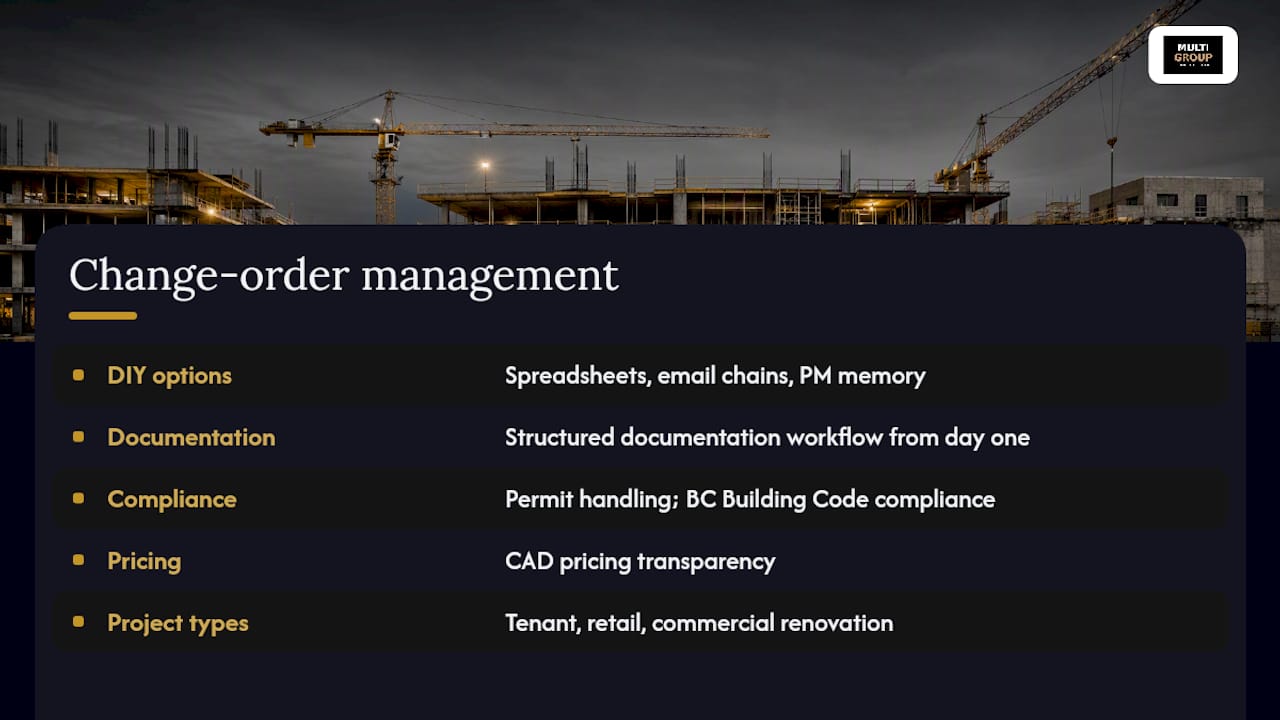
There are ways to manage change orders on your own, with spreadsheets, email chains, and a project manager tracking everything by memory. Multigroup Contracting takes a different approach for Metro Vancouver clients: every project runs on a structured documentation workflow from day one, so a change order never becomes a guessing game about what was approved and when.

Multigroup’s project management covers permit handling, BC Building Code compliance, and CAD pricing transparency across tenant improvements, retail buildouts, and commercial renovation work throughout Burnaby, Richmond, Surrey, Coquitlam, North Vancouver, West Vancouver, New Westminster, Langley, and Delta. For larger‑scale projects, our warehouse renovation work applies the same rigour to site investigations and change documentation that this guide recommends, particularly given how often unforeseen conditions surface in older industrial buildings.
If a change is already surfacing on your project, or you’re planning a build where you’d rather have the documentation system built in from the start, reach out to Multigroup for a change order review or a project‑specific pricing discussion.
Sources
For deeper reference, several standard documents cover change order administration in more detail:
- Canada
- Change Order | Practical Law - Thomson Reuters
- The ultimate guide to construction change orders — Siteline
- Causes of contractual change orders and their effects — E3S Web of Conferences (2024)
Large cumulative impact claims or ambiguous notice windows are worth a call to counsel or a claims specialist rather than guesswork. Keep an indexed change order folder for every project. It becomes your evidence file if a dispute or final closeout review ever requires it.
FAQ
What is a change order in construction?
A change order is a written, signed amendment to a construction contract that adjusts scope, price, or schedule, agreed to by both the owner and contractor before it takes effect.
What should be included in a change order?
Every change order needs a project ID, scope description, reference to the triggering RFI or drawing, a full cost breakdown with overhead and profit, schedule impact, and signatures from both parties.
How do you start a change order on a construction project?
Issue written notice to the contract administrator as soon as the change is identified, document its origin, then prepare pricing and submit a change order request with supporting attachments before proceeding with non‑urgent work.
What is the average percentage of change orders on a construction project?
There’s no single fixed percentage that applies across all projects, since it varies heavily by project type, site conditions, and design completeness at bid time; thorough site investigation and clear scope documents are the most reliable ways to keep the number down.
What’s the difference between a change order and a change directive?
A change order confirms agreed scope, price, and schedule adjustments, while a change directive instructs the contractor to proceed with work before price and time are finalized.